
Purpose
Use this section to diagnose communication issues between the Main Module (MM), I/O
Modules (IOMs), and PC.
Common Alarms
I/O IOM Reset
Meaning: The module lost power and then recovered.
Possible Causes: Loose Cat5/RJ45 cable, intermittent connection, or power
interruption.
I/O No IOM Response
Meaning: The I/O Module is not responding to the Main Module.
Possible Causes: Disconnected cable, faulty cable, or failed I/O Module.
Lost Communication Link
Meaning: The module failed to establish or maintain communication.
Possible Causes: Startup configuration changes, loose/damaged cable, or
communication hardware issue.
Key Checks
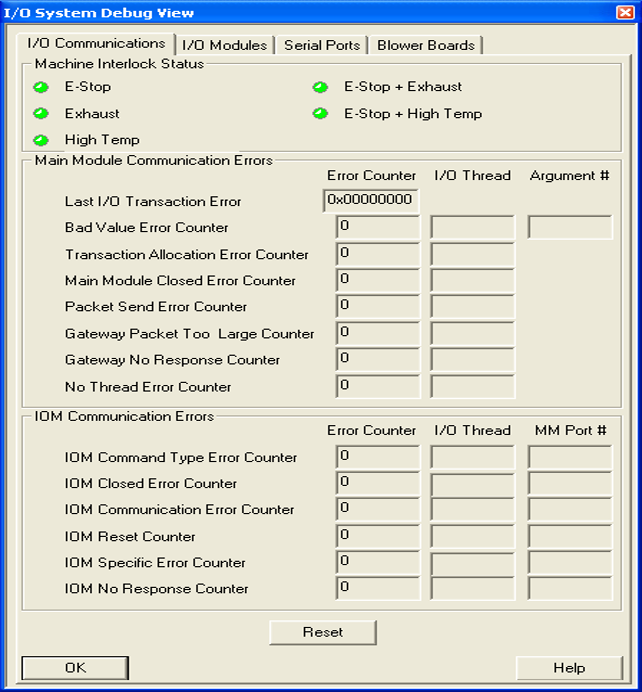
1. Open Debug View and review communication error counters.
2. Identify any counters greater than 0 and record the affected module, MM port
number, and error counts.
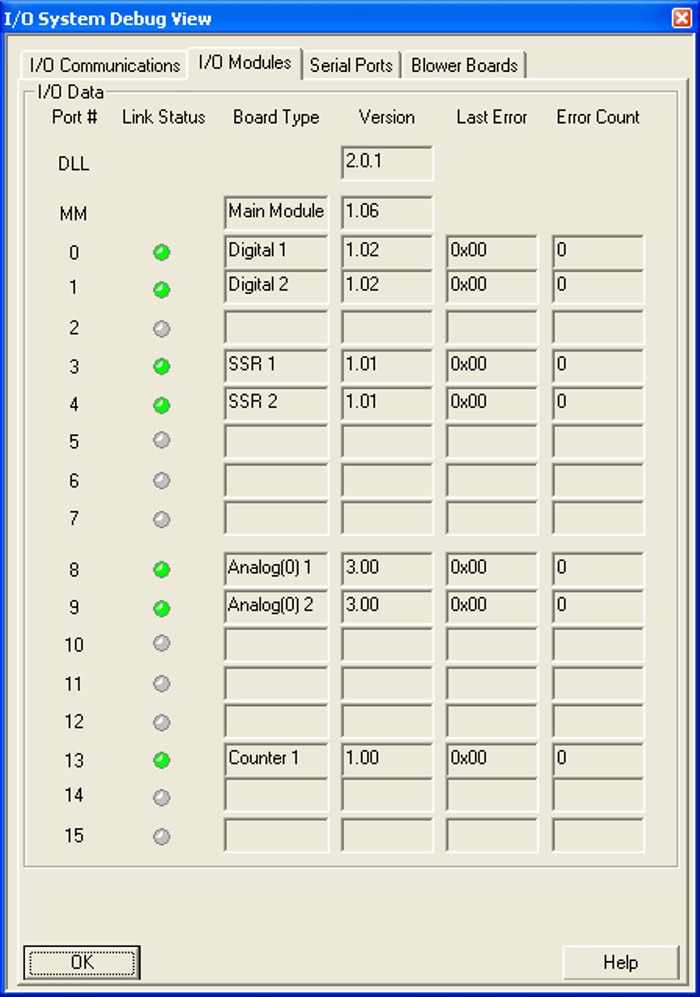
3. Review the I/O Modules tab for additional status and fault information.
Normal Condition: All communication error counters should be 0.
1. Inspect Connections - Reseat all RJ45 (Cat5) cables and verify secure connections.
2. Replace the Module Cable - Replace the cable connected to the affected I/O Module.
3. Replace the PC Cable - Install a known-good crossover cable and retest.
4. Replace the I/O Module - If communication errors continue after cable replacement.
5. Replace the Main Module (Last Resort) - Only after all other troubleshooting steps
have been completed.
Escalation If unresolved:
- Capture screenshots while the alarm is active.
- Gather all error details and diagnostic files.
- Document troubleshooting steps already performed.
- Send the information to Technical Support.
Notes
- Cat5 cables provide both power and communication to I/O Modules.
- Most communication issues are caused by loose connections, faulty cables, or
intermittent wiring problems.
Tip: Always check and reseat cables before replacing hardware