
Equipment: Solder Pot Assembly
Subject: Backgate Bimba Cylinder Calibration and Verification
Purpose: Provide the procedure for calibrating the Backgate Bimba Cylinder and verifying its operation.
1. Configuration
Open Configuration → Modules.
Select the Solder Pot tab.
Verify that the Back Gate Position checkbox is selected.
Click OK to exit and save the configuration.
2. Backgate Calibration
Place the machine in Manual mode.
Open the Solder Pot Calibration page.
Click Start for Back Gate Home.
The LED next to Measured Position will turn red.
The Bimba cylinder should move off the Reed Switch, return onto it, and then begin moving outward.
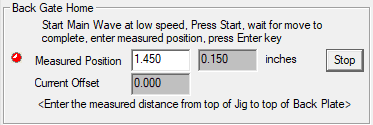
The unit will move past the calibration location and display 0.150" for Actual. Shortly afterward, it will begin moving back toward 0.250".
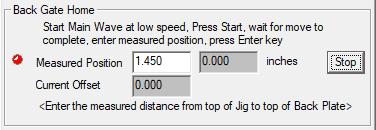
Once the LED turns green, the unit should have reached the calibration position.
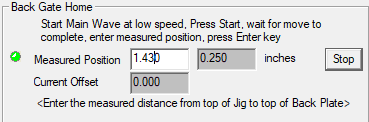
Enter 1.430 in the Measured Position field and press Enter.
Verify the following values:
Actual: 0.270
Current Offset: -0.020
Click OK to save the calibration and exit the dialog.
3. Operational Verification
Open the Solder Pot Operations page.
Enter a Back Gate Position setpoint of 0.100" and click the associated Start button.
The unit should move outward and stop.
The unit may continue vibrating for some time before turning off.
Change the position setpoint to 0.600".
The unit should move back inward.
A delay before turning off is expected.
Change the setpoint to 0.250".
The unit will move past the setpoint and pause.
The Actual position should display 0.150" before the unit moves back to 0.250".