Raising or Lower Centurion hood with no power on the machine.
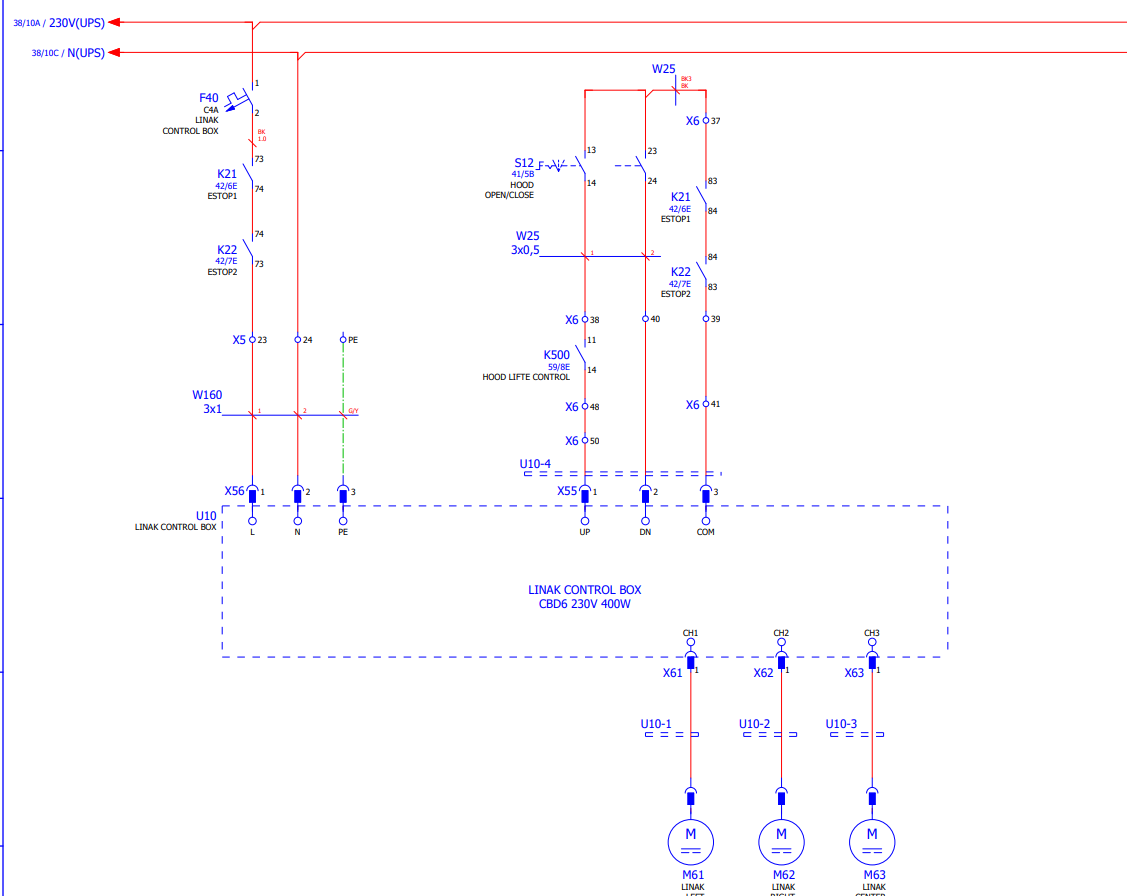
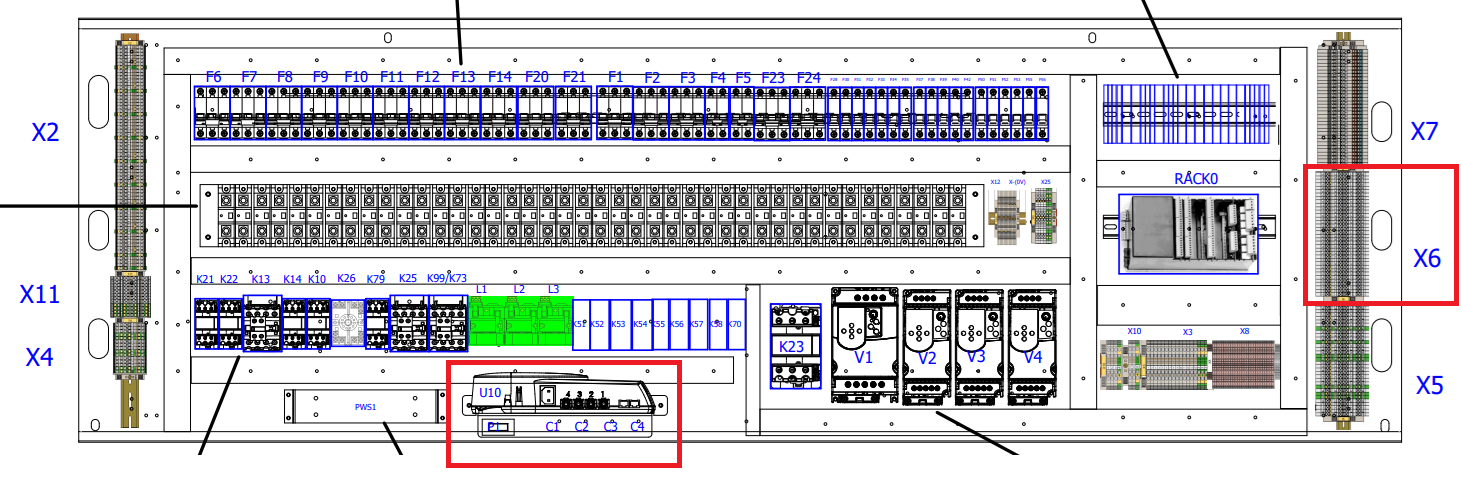
To raise the hood, you will need to provide power to the Linak control box. The Linak box location is shown on the 2nd drawing below (for an 820 machine). You will need to provide power to the X56 plug shown on the top left side of the U10 Linak controller shown on the first drawing below. The control box can be powered with 110 VAC. The plug is the same as many PCs and monitors. You can plug it into a standard wall outlet to provide the 110 VAC power. To raise/lower the hood, you will need to go to the X6 terminal blocks as shown in the 2nd drawing below. The terminal blocks are two-tier terminal blocks.
To raise the hood:
Touch a jumper wire between X6(41) and X6(50). When you stop touching them together, the hood will stop. It should automatically stop when it is all the way up.
To lower the hood:
Touch a jumper wire between X6(41) and X6(40). When you stop touching them together the hood will stop. It should automatically stop when it is all the way down.